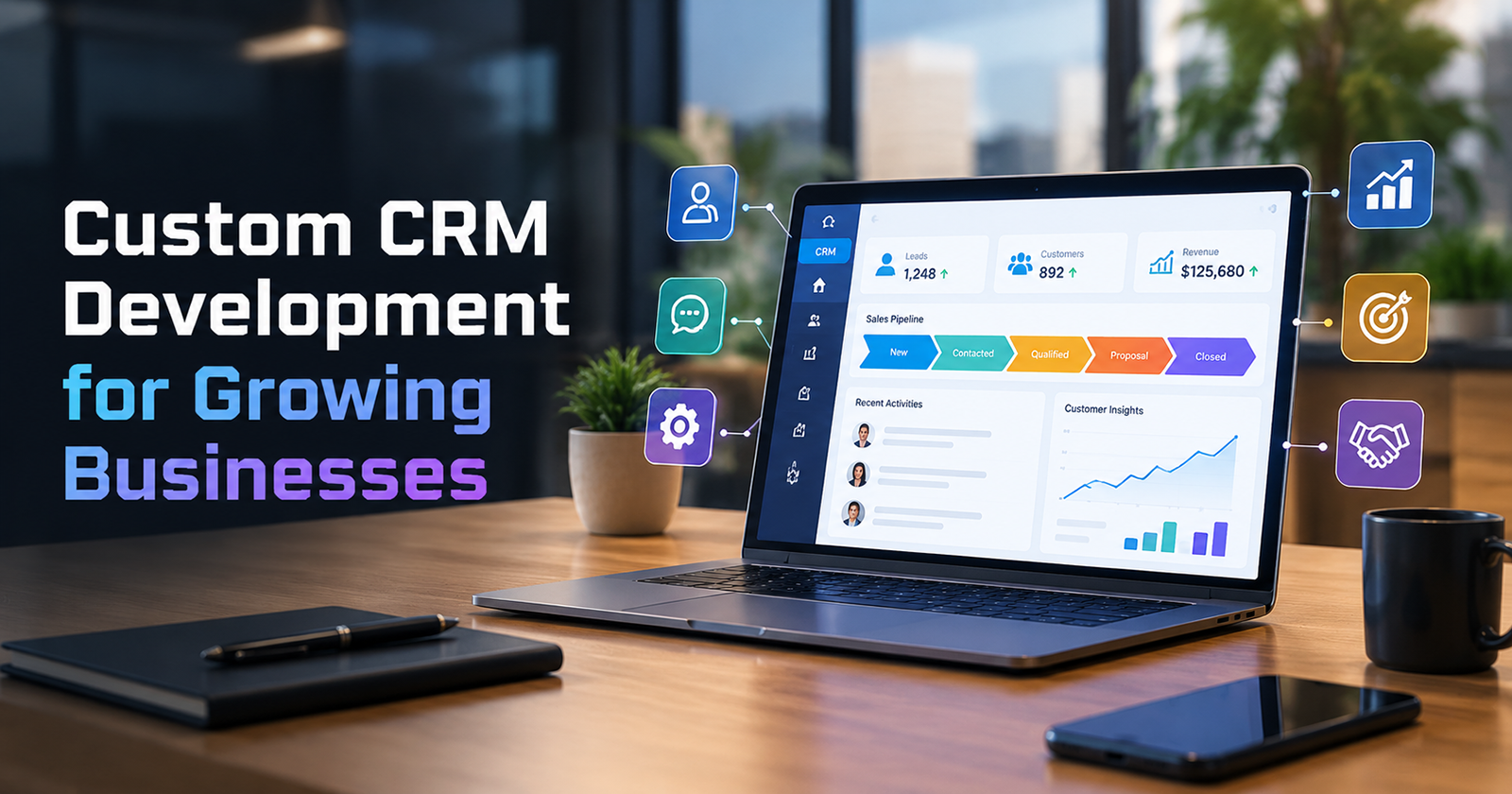
Custom CRM Development for Growing Businesses
I am Sanket Shah, founder and CEO of Deuex Solutions, where I focus on building scalable web mobile and data driven software products with a background in software development. I enjoy turning ideas into reliable digital solutions and working with teams to solve real world problems through technology.
Quick Summary / Key Takeaways
Custom CRM development makes sense when a growing company’s sales, service, quoting, account management, or approval process no longer fits comfortably inside standard CRM software.
A CRM should become the trusted memory of the customer relationship. When staff keep returning to spreadsheets, inboxes, WhatsApp messages, and personal notes, the system is probably missing part of the real workflow.
Do not build custom software simply to avoid changing an untidy process. First decide which workflows genuinely make your business different.
Customer data quality matters more as AI enters sales and service. Salesforce’s 2026 State of Sales report found that 46% of sales professionals using AI agents said data quality problems were hurting sales.
Validity’s 2025 CRM data study, based on 602 users and stakeholders, found that 37% reported lost revenue as a direct result of poor CRM data quality.
A custom system should connect sales, marketing, customer service, finance, and operations only where there is a clear reason. More connections do not automatically mean a better CRM.
Build around customer stages, business rules, user roles, and decisions. Do not begin with screens.
AI can support lead research, summaries, follow ups, account history, and support work, but only when the underlying customer records are dependable.
The right CRM is not the one with the most fields. It is the one people trust enough to stop keeping their own private version of the customer.
The sales director was sure the deal had disappeared.
AED 420,000.
Gone.
It had been included in Friday’s forecast. On Monday morning, it was missing from the CRM dashboard.
Sales blamed the system.
Finance said the opportunity had never been approved.
The account manager opened an Excel sheet and insisted the customer was waiting for a revised proposal. Someone else found the revised proposal in an email thread.
Then the managing director asked a question that changed the conversation.
“If the CRM is supposed to tell us what is happening with our customers, why are six people searching six different places?”
That is where custom CRM development becomes worth discussing.
Not when a company wants a prettier contact database.
When growth has made the customer journey more complicated than the software designed to manage it.
For businesses reviewing whether their current tools still fit, Deuex Solutions helps plan and build software around the workflows people actually use.
The Missing Deal Was Never Missing
The opportunity still existed.
Just not where management expected it.
The salesperson had moved the deal to “Proposal Sent.”
Finance had rejected the commercial terms through email.
The salesperson then updated a spreadsheet because changing the CRM stage would have removed the deal from his monthly pipeline report.
A manager approved a revised discount in WhatsApp.
Nobody entered that approval into the CRM.
The system was technically working.
The process was not.
This fictional company is a composite of patterns common in growing businesses. The names and numbers are invented. The underlying problem is familiar.
At ten employees, people remember everything.
At fifty, they ask each other.
At two hundred, memory becomes infrastructure.
That is where CRM decisions start to matter.
What Is Custom CRM Development?
Custom CRM development means designing customer relationship software around the sales, service, account, and operational workflows of a specific business.
Instead of accepting the structure of a ready made product, the business defines:
Customer records
Lead stages
Sales rules
User roles
Approval paths
Account hierarchies
Quotes
Activities
Follow ups
Service requests
Reports
Alerts
External system connections
Customer communication history
The goal is not to reproduce Salesforce, HubSpot, Zoho, or another established CRM from scratch.
That would rarely make commercial sense.
The goal is to build where standard products stop fitting the business.
Sometimes that means a completely custom CRM.
Quite often, it means a custom operating layer connected to an existing sales platform.
The distinction can save a lot of money.
How Do You Know Your Business Has Outgrown Its CRM?

Watch what happens outside the system.
That is usually more revealing than asking users whether they like it.
What you notice | What may be wrong | What needs investigation |
Salespeople maintain spreadsheets | CRM stages do not reflect real selling | Pipeline and approval flow |
Customer details differ between teams | Ownership of customer data is unclear | Customer record structure |
Managers ask for manual weekly reports | Reporting does not match business decisions | Dashboard and data model |
Reps avoid updating opportunities | Data entry feels disconnected from selling | User workflow |
Quotes live outside the CRM | Commercial process is too complex for the tool | Pricing and quote rules |
Support cannot see sales history | Customer context is divided | Shared account view |
Finance repeatedly corrects customer data | Systems disagree about account records | Data ownership |
Teams copy information between applications | Tools do not communicate properly | APIs and automated data movement |
AI gives weak customer answers | Records are incomplete or contradictory | Data quality before AI |
The last row is becoming more important.
Salesforce’s seventh State of Sales report says manual errors and duplicate records are among the leading data problems faced by sales teams using AI agents. The same report found that 46% of sales professionals with agents said data quality issues were hurting sales.
AI makes bad CRM data more visible.
It does not make it correct.
Why Do Growing Companies Struggle With Ready Made CRM Software?
Because the business changes faster than the original setup.
A company starts with:
Lead → Opportunity → Proposal → Won
Simple.
Then reality arrives.
One sales process becomes three.
Enterprise deals need finance approval. Channel partners receive different pricing. Existing customers follow another path. Some accounts have several legal entities. A parent company negotiates while regional branches order separately.
Then service teams get involved.
Then finance.
Then customer success.
Then management wants forecasts based on probability, product category, region, contract duration, and delivery capacity.
The CRM was not necessarily badly chosen.
The company grew.
A good CRM needs to grow with it.
When Does Custom CRM Development Make Sense?
Custom development starts making sense when the way you manage customers is materially different from what a standard product supports.
Strong reasons include:
Your Sales Process Has Business Specific Rules
A software company may sell annual subscriptions.
A construction supplier may prepare quotes tied to projects, credit limits, delivery stages, and quantity breaks.
A staffing company may track candidates, employers, placements, contracts, and recurring requirements inside one commercial relationship.
These are not the same pipeline.
If important rules keep getting forced into generic stages, custom logic may help.
Pricing Is Complicated
A quote may depend on:
Customer tier
Contract terms
Volume
Region
Product mix
Previous purchases
Partner commission
Credit status
Approval authority
When reps calculate those things outside the CRM, pricing risk grows.
Several Departments Share the Customer
Sales may win the account.
Operations delivers.
Finance invoices.
Support handles problems.
Account managers protect renewal.
If each team maintains a separate picture, the company never really has a customer view.
Existing Software Requires Too Many Workarounds
One workaround is harmless.
Twenty become a system.
CRM Logic Is Part of Your Competitive Advantage
If your company wins because it responds faster, prices differently, manages complex accounts better, or coordinates customer work in a distinctive way, software that supports that method may be worth owning.
When Should You Not Build a Custom CRM?
Do not build because the current CRM annoys people.
That is not enough.
Ready made software often remains the better option when:
Your sales process is standard
Your team is small
Established products already cover most needs
You need to launch quickly
Requirements are still changing every week
Nobody internally will own the product
The main problem is poor CRM discipline
Data quality is weak
Staff have not been trained properly
Sometimes the problem is not software.
The sales team simply stopped entering calls.
A custom system will not cure that.
It may create a more expensive place not to enter calls.
Custom CRM vs Ready Made CRM vs Hybrid
Growing businesses usually have three choices.
Approach | Best fit | Main advantage | Main concern |
Ready made CRM | Standard sales and service process | Faster rollout and established features | Business may adapt to the product |
Custom CRM | Distinctive and complex workflows | Full control over process and data model | Higher build and ownership responsibility |
Hybrid | Standard CRM plus custom modules or connected software | Keeps proven core while supporting special workflows | System boundaries need to stay clear |
The hybrid option is often underestimated.
A company might keep Salesforce or HubSpot for lead management while building a custom quoting portal.
Or keep Zoho for customer communication while a custom application handles project pricing and operational handoff.
That may give the business what it needs without rebuilding email tracking, contact management, and other common CRM functions.
For a deeper comparison of the build decision, see Deuex Solutions’ guide to custom software vs off the shelf ERP and CRM.
What Should a Custom CRM Actually Contain?

Start with decisions and workflows.
Features come later.
A growing B2B company might need these areas:
CRM area | What it should answer | Business benefit |
Lead management | Who is interested and what happens next? | Fewer forgotten inquiries |
Account management | Who belongs to each customer organization? | Clearer relationship history |
Opportunity pipeline | Where is each deal and what is blocking it? | Better sales visibility |
Activity history | What has already happened with this customer? | Less repeated communication |
Quote management | What are we offering and who approved it? | Stronger commercial control |
Tasks and reminders | Who needs to act next? | Fewer dropped follow ups |
Customer service | What problems has this account reported? | Better account context |
Reporting | What needs management attention? | Faster decisions |
Permissions | Who may see or change sensitive information? | Better access control |
System connections | Which external records are needed? | Less duplicate entry |
Notice what is missing.
A giant feature count.
The CRM should be designed around questions employees need answered during work.
The Sales Pipeline Is Not Just a List of Stages
This is where many CRM projects become too shallow.
A company defines six stages:
New Lead
Qualified
Proposal
Negotiation
Won
Lost
Then assumes the work is finished.
Stages matter.
Transitions matter more.
Ask:
What must be true before a deal enters this stage?
Who can move it?
Is approval required?
Which documents should exist?
Does the customer need a credit check?
Can the stage move backward?
What counts as lost?
Can a lost opportunity reopen?
What information becomes mandatory at each point?
For the company with the missing AED 420,000 opportunity, the real workflow was closer to:
Qualified Opportunity
↓
Commercial Review
↓
Proposal Draft
↓
Finance Approval
↓
Customer Proposal
↓
Negotiation
↓
Final Approval
↓
Won
That finance approval had previously happened outside the system.
Once it became visible, the forecast became more believable.
The CRM did not merely record the outcome.
It supported the process that produced it.
Why Is CRM Data Quality a Business Problem?
Because decisions depend on it.
Validity surveyed 602 CRM users and stakeholders for its 2025 State of CRM Data Management report. Thirty seven percent said their organization had lost revenue as a direct result of poor data quality. Seventy six percent said less than half of their CRM data was accurate and complete.
That is a striking gap.
Companies invest in customer software, then quietly stop trusting the information inside it.
Poor CRM data commonly includes:
Duplicate companies
Old email addresses
Missing decision makers
Inconsistent industry names
Opportunities with outdated stages
Activities entered weeks later
Several formats for phone numbers
Unclear account ownership
Missing consent records
Leads imported without sources
The answer is not simply “make every field mandatory.”
Too many mandatory fields encourage people to enter nonsense.
Collect information when there is a business reason.
Make ownership clear.
Validate what can be validated automatically.
How Should CRM Data Be Structured?
Think in relationships, not one enormous customer table.
A B2B CRM may need separate records for:
Company
↓
Locations
↓
Contacts
↓
Opportunities
↓
Quotes
↓
Orders
↓
Support Requests
↓
Renewals
One company might contain several contacts.
One contact may participate in several opportunities.
An opportunity can have several quotes.
A won opportunity may later produce many orders.
Trying to force all of that into one flat record creates strange reporting and duplicate information.
The data model is not a purely technical choice.
It reflects how the company thinks about a customer.
What Should Be Automated Inside a CRM?
Automate predictable work with clear rules.
Good examples include:
Lead assignment
Follow up reminders
Quote approval routing
Customer onboarding tasks
Renewal reminders
Stale opportunity alerts
Duplicate detection
Meeting summary drafts
Account ownership changes
Sales handoff to service
Notifications when credit status changes
Automation should remove memory work.
It should not hide judgment.
A CRM can remind an account manager that a major customer has been inactive for 60 days.
It should not automatically decide that the relationship is unhealthy without enough context.
The purpose is to help people notice what needs attention.
How Should a CRM Connect With Other Business Systems?

Carefully.
A growing company may connect CRM records with:
ERP
Accounting software
Marketing tools
Help desk
Ecommerce platform
Customer portal
Phone system
Calendar
Email
Proposal tools
Payment platforms
Data warehouse
Identity system
The first question should be:
Why does this information need to move?
Then:
Which system owns it?
Suppose a customer changes its legal company name.
Should that update originate in the CRM?
Finance system?
Customer portal?
Who approves it?
Technical connections cannot answer those questions.
If your CRM project involves several business platforms, our API integration services guide explains how to plan data ownership, failures, authentication, and long term support between systems.
What Role Should AI Play in a Custom CRM?
AI can make CRM software considerably more useful.
It can also make bad records sound surprisingly convincing.
Practical CRM AI use cases include:
Summarizing account history
Drafting follow up emails
Researching prospects
Suggesting missing information
Classifying leads
Flagging inactive opportunities
Summarizing sales calls
Searching customer history in natural language
Preparing meeting briefs
Routing support requests
Suggesting next actions
Salesforce’s 2026 State of Sales research reports that nine in ten sales teams use AI agents or expect to do so within two years.
That adoption creates a basic dependency.
AI needs customer context.
If your order history is in the ERP, support records live elsewhere, proposals sit in shared folders, and the CRM contains incomplete contacts, the AI receives only a slice of the relationship.
Do not ask:
“Where can we add AI?”
Ask:
“Which customer decision would become easier if the system could understand the right context?”
That leads to much better use cases.
Should AI Be Allowed to Update CRM Records?
Sometimes.
Start cautiously.
An assistant could safely suggest:
“This contact appears to have changed job title. Review update?”
That keeps a person in control.
Allowing an autonomous agent to rewrite account ownership, change pricing, mark opportunities lost, or modify contract details carries more risk.
A sensible progression is:
Read → Summarize → Recommend → Draft → Request approval → Act
The more consequential the action, the stronger the controls should be.
What Does the Custom CRM Development Process Look Like?
A good project begins with observation.
Not coding.
Phase 1: Follow the Customer
Map what happens from first contact through sale, delivery, support, renewal, or exit.
Sit with salespeople.
Watch the actual process.
Do not rely only on the documented one.
Phase 2: Find the Workarounds
Look for spreadsheets, private notes, email templates, unofficial dashboards, copied data, and manual approval messages.
Those reveal missing workflow.
Phase 3: Define Records and Ownership
Decide what a customer, contact, opportunity, quote, order, interaction, and service case mean.
Phase 4: Design User Roles
A sales rep should not necessarily see everything finance can see.
Regional managers may need wider access.
Support may need customer context without commercial margins.
Phase 5: Prototype High Value Workflows
Test the sales pipeline, account page, quote flow, or another core journey before building every module.
Phase 6: Build in Releases
Do not wait eight months for the entire CRM.
Launch useful sections to a controlled user group.
Phase 7: Migrate Data
Clean before importing.
Do not proudly move 48,000 duplicate contacts into the new system.
Phase 8: Train Through Real Work
Training should use actual sales scenarios.
“How do I update a record?” is less useful than “What should I do when a customer rejects this proposal?”
Phase 9: Measure Adoption
Track whether people use the product properly.
Login count alone proves very little.
What Should You Measure After Launch?
The useful measures depend on why you built the CRM.
Possible signals include:
Lead response time
Opportunity update accuracy
Sales cycle length
Quote approval time
Follow up completion
Forecast accuracy
Duplicate record rate
CRM activity per active account
Time spent preparing reports
Handoff time between sales and service
Customer renewal rate
Number of external spreadsheets still used
That last one is underrated.
If the new CRM launches and every salesperson still maintains a private spreadsheet, do not celebrate the rollout yet.
Find out why.
What Research Says About CRM and Business Performance
Recent academic work supports a point that practitioners often learn the hard way: CRM success depends on more than purchasing software.
A 2025 study of Portuguese SMEs published in Sustainability found positive relationships between CRM practices and business performance. Among the tested factors, CRM organization had the strongest positive influence in the study’s model, followed by service quality, operational CRM, and customer centered management.
Another peer reviewed 2024 study in the International Journal of Information Management Data Insights examined social CRM across 149 SME managers. The researchers found that whether CRM matched the business task and whether the organization was prepared to support it helped explain firm performance.
The practical reading is less academic.
CRM software works better when the company is ready to work differently.
No architecture can replace ownership.
No dashboard can repair a process nobody follows.
How Much Does Custom CRM Development Cost?
There is no honest universal price.
A customer database with leads, tasks, and reporting is very different from an enterprise CRM covering quotes, approvals, service, several companies, ERP connections, customer portals, and AI.
Cost is usually shaped by:
Cost driver | Why it matters |
Number of roles | More permissions and user journeys |
Sales complexity | More workflow rules and exceptions |
Quotes and pricing | Commercial logic needs careful testing |
External systems | Data connections add dependencies |
Migration | Old data may need cleaning and mapping |
Reports | Complex business measures require deeper modeling |
Mobile requirements | Field teams may need another experience |
AI features | Model cost, permissions, data controls, evaluation |
Security | Sensitive customer and commercial records need protection |
Scale | Larger volumes affect architecture and testing |
Do not ask only:
“How much will the CRM cost to build?”
Ask:
“What does our current process cost to keep?”
Include:
Manual reporting
Lost leads
Duplicate work
Incorrect quotes
Missed follow ups
Software licenses
Add ons
Support
Data cleaning
Staff time spent finding information
The build price is one side of the decision.
What Are the Biggest Custom CRM Mistakes?

Copying Your Current CRM
If the old workflow is poor, recreating it with a new design does not help.
Asking Every Department for a Feature Wishlist
You will receive a very large product.
Instead, ask what each team needs to decide and complete.
Building Before Cleaning Customer Data
Bad records spread quickly.
Creating Too Many Fields
Every field creates maintenance work.
Automating Everything
Some customer decisions need judgment.
Ignoring Mobile Use
Sales and service teams may work away from desks.
Connecting Every Application
Only move information that creates a useful business outcome.
Designing Reports at the End
If management decisions matter, reporting requirements affect the data model from the start.
Adding AI Before the Customer Record Is Reliable
AI does not fix uncertainty in source data.
Treating Launch as the Finish Line
The first months show which workflows people actually follow.
How Do You Choose a Custom CRM Development Company?
Look for a partner that asks process questions before technology questions.
Good signs include:
They want to speak with CRM users
They map the customer journey
They challenge unnecessary features
They ask who owns customer data
They discuss migration early
They explain build vs buy options
They understand APIs
They plan permissions carefully
They discuss reporting before launch
They ask what happens after release
Ask one especially useful question:
“Which part of our CRM would you not custom build?”
A trustworthy development team should have an answer.
Building everything is rarely the smartest path.
The AED 420,000 Deal Reappeared
The opportunity was not restored by rebuilding the CRM.
Not immediately.
The company first changed the process.
Finance approvals moved into the opportunity workflow. Discount rules became visible. Proposal versions were linked to the deal. Sales reps no longer needed a spreadsheet to protect their forecast.
Then the software changed.
Three months later, the managing director opened the pipeline dashboard.
The numbers were lower than they had been before.
That caused a few uncomfortable conversations.
They were also real.
For the first time, “Proposal Sent” meant the proposal had actually been approved and sent.
The CRM became less flattering.
Far more useful.
That is the point of custom CRM development.
Not to give management a more attractive dashboard.
To create a dependable shared memory of how customers move through the business.
Build the Customer Memory Your Business Has Outgrown
Growing companies rarely wake up one morning and discover their CRM has failed.
It happens slowly.
One spreadsheet appears.
Then another.
Someone keeps important notes in their inbox. Finance maintains a second customer list. Account managers build their own reports because the main dashboard no longer answers the questions they care about.
Eventually, the CRM becomes one source of customer information rather than the source the business trusts.
That is when the decision deserves attention.
At Deuex Solutions, we help businesses map customer workflows, connect existing systems, design custom software, and build CRM products around real sales, service, and account management needs.
If your customer process has grown beyond the software supporting it, contact Deuex Solutions to discuss what should be fixed, connected, configured, or built.
A growing business does not need more customer data. It needs one customer story everyone can trust.
What is custom CRM development?
Custom CRM development is the process of designing customer relationship software around a company’s specific sales, service, account management, reporting, and approval workflows rather than relying entirely on standard CRM features.
When should a business build a custom CRM?
Consider custom software when existing products require heavy workarounds, your sales or customer process is genuinely distinctive, several departments need one shared workflow, or CRM logic is closely tied to how the company earns revenue.
Is custom CRM better than Salesforce, HubSpot, or Zoho?
Not automatically. Established CRM products are often better for common sales and marketing needs. Custom development becomes useful when business specific workflows cannot be handled cleanly through standard configuration. A hybrid approach can also work well.
Can AI be added to a custom CRM?
Yes. AI can support account summaries, prospect research, meeting preparation, lead classification, follow ups, customer support, and other tasks. Its usefulness depends heavily on clean customer data and clear permissions.
How long does custom CRM development take?
A focused first release may take a few months. Larger platforms involving complex pricing, several departments, migration, mobile access, external systems, and AI can take longer. A staged rollout is usually safer than attempting every feature at once.